Settings Hub
Overview
The Settings Hub is your central control panel for configuring every aspect of your online store. From here, you can access all store settings organized into logical categories and search for specific settings.
Accessing Settings
Navigate to: Modules > System Settings from the sidebar menu
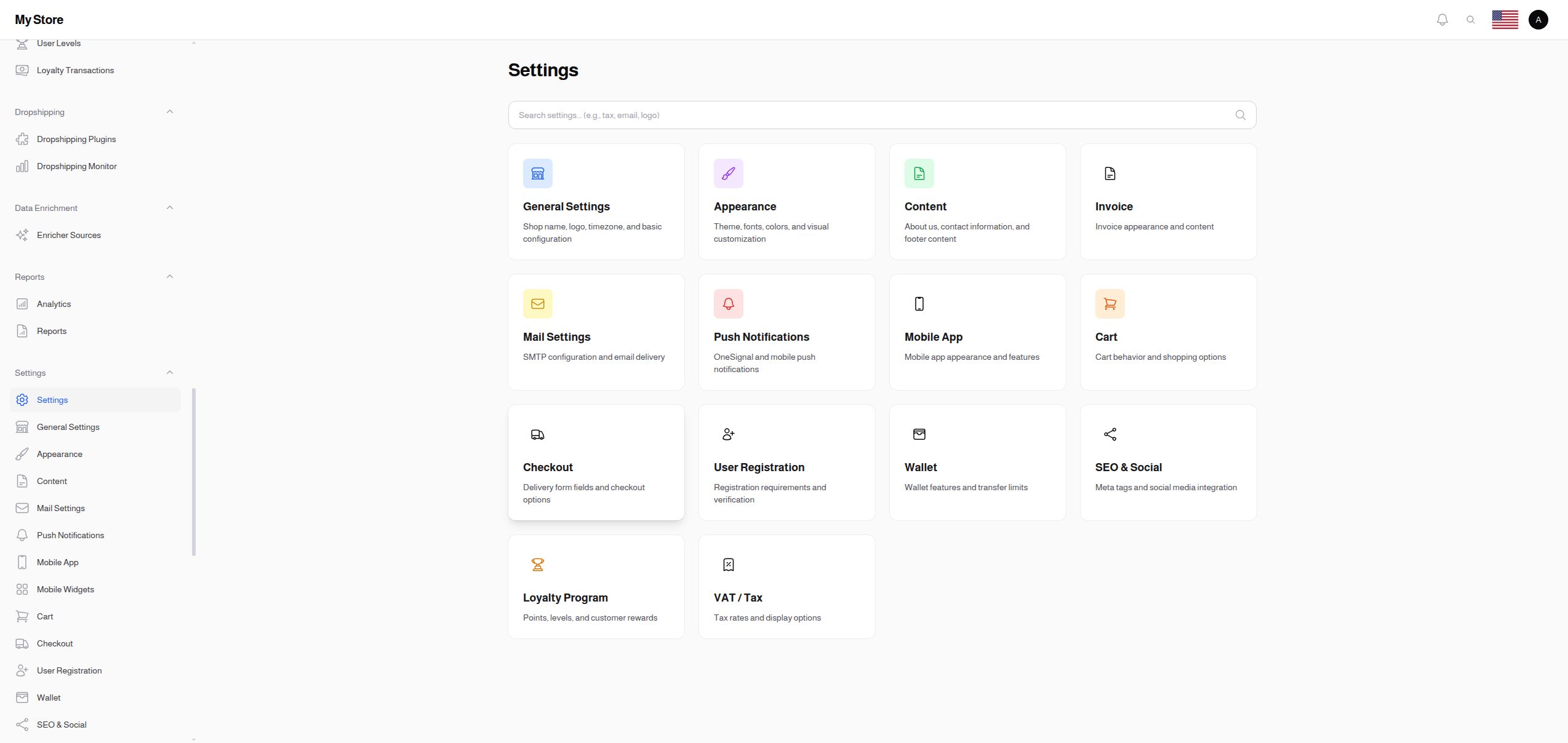
Settings Hub Features
Search Settings
The Settings Hub includes a powerful search feature that lets you find any setting quickly:
- Type keywords to start searching (e.g., "tax", "email", "logo")
- Search finds settings by name, description, or related keywords
- Click on a search result to navigate directly to that setting
Settings Categories
The settings are organized into the following categories:
Store Configuration
| Setting Page |
Description |
| General |
Store name, tagline, logo, timezone, number formatting |
| Appearance |
Theme, fonts, color scheme |
| Content |
About us, contact info, footer content |
Communication
| Setting Page |
Description |
| Mail |
SMTP and email delivery configuration |
| Push Notifications |
OneSignal push notification setup |
Mobile & App
| Setting Page |
Description |
| Mobile App |
App icon, splash screen, color scheme, chat settings |
| Setting Page |
Description |
| Cart |
Cart mode, guest cart, quantity settings, cart expiry |
| Checkout |
Delivery form fields, city input mode, payment redirects |
User Management
| Setting Page |
Description |
| Registration |
Required fields, verification, country restrictions |
| Wallet |
Wallet features and transfer limits |
| Loyalty Program |
Enable loyalty points and rewards |
Business & Finance
| Setting Page |
Description |
| VAT / Tax |
Tax calculation settings |
| Invoice |
Company information and invoice footer |
Marketing
| Setting Page |
Description |
| SEO & Social |
Meta tags and social media integration |
Product Management
| Setting Page |
Description |
| SKU Generator |
Automatic SKU generation for products |
Navigation Tips
- Each settings page has a Save button at the bottom - remember to save your changes
- Use the Locale dropdown on translatable settings to enter content in different languages
- Some settings are only visible to administrators with specific permissions
- Changes take effect immediately after saving (no restart required)